

Download Alarm Clock Plus – alarm clock, sleep schedule, wake up, time management, daily routine
Overview
Alarm Clock Plus is a free Android application designed to support users in maintaining consistent sleep and wake-up routines. The software serves as a digital alarm clock, helping individuals establish and adhere to a structured daily schedule. By promoting regular wake-up times, it supports the body’s natural circadian rhythm, which can lead to improved sleep quality and better overall time management. The app is particularly suited for users seeking a simple yet effective tool to enhance their daily routine without relying on built-in phone alarms.
Targeted at general consumers and individuals focused on personal productivity, Alarm Clock Plus caters to those who want to reduce morning grogginess and improve punctuality. It is ideal for students, professionals, and anyone aiming to build healthier habits through consistent wake-up patterns. The app’s recent update, which followed a five-year development gap, marks a significant milestone in its evolution, signaling renewed developer commitment and enhanced functionality. Real-world use cases include setting recurring alarms for workdays, managing study schedules, or supporting wellness goals tied to regular sleep cycles.
Key Features & Capabilities
- Customizable Alarm Schedules – Users can set multiple alarms with different days of the week, allowing for tailored wake-up routines on weekdays versus weekends.
- Gradual Wake-Up Sounds – The app offers soft, increasing volume alarms to help users transition gently from sleep to wakefulness, reducing the shock of abrupt wake-up.
- Repeating and One-Time Alarms – Supports both recurring alarms for daily routines and single-use alarms for special events or temporary schedules.
- Simple, Intuitive Interface – Designed with minimalism in mind, the app prioritizes ease of use, enabling quick alarm setup without navigation complexity.
- Free Access with No Ads (as of version 3.5) – The app remains free to download and use, with no advertisements reported in the current version.
These features support real-life scenarios such as waking up for early morning classes, starting work at a fixed time, or ensuring timely attendance at appointments. The gradual wake-up function is especially beneficial for users who struggle with morning fatigue. The ability to configure alarms for specific days helps users maintain consistency while accommodating flexible weekends. The app’s lightweight nature and lack of ads enhance usability, making it a reliable tool for daily use without performance interference.
User Interface, Workflow & Performance
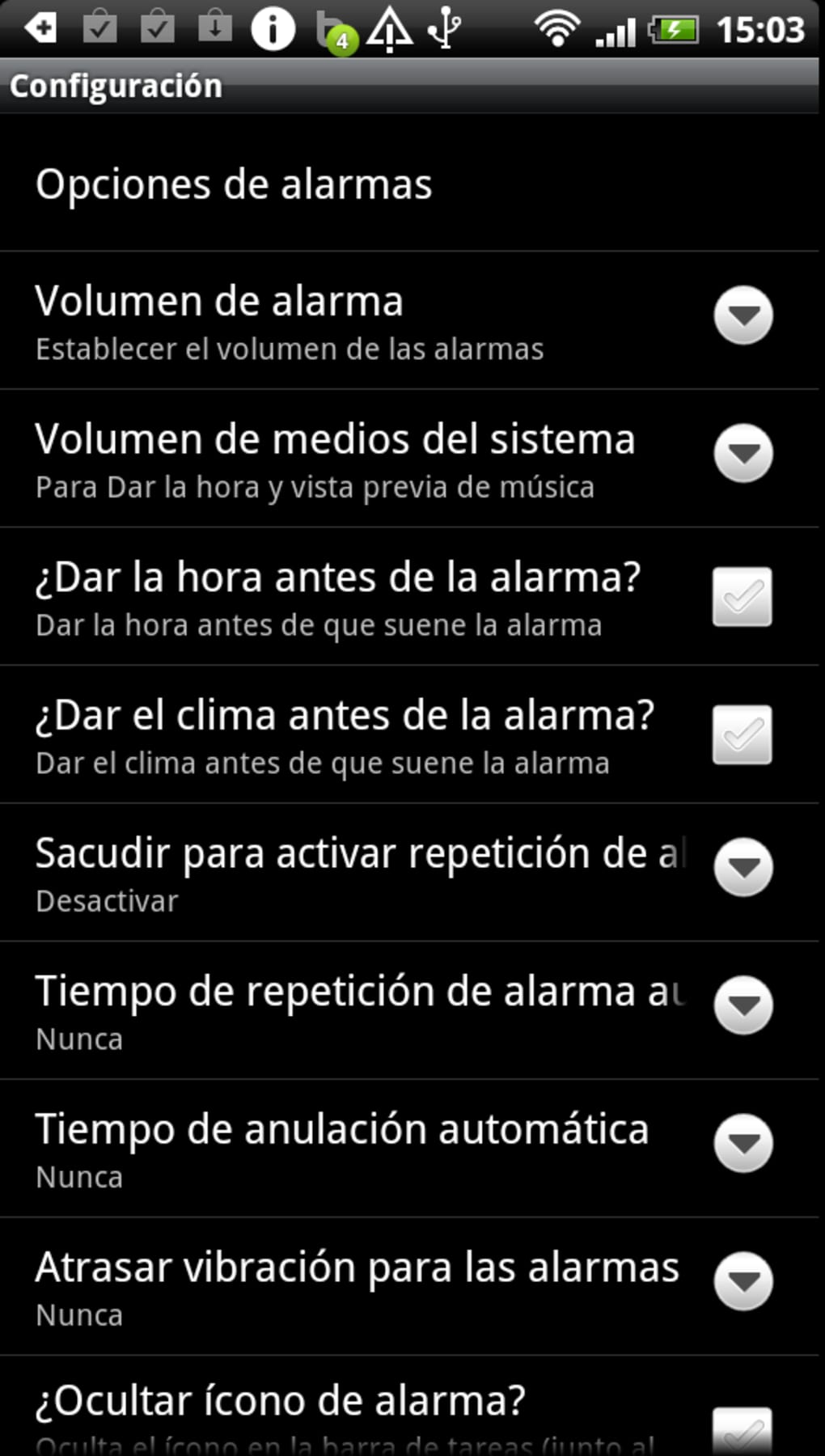
Alarm Clock Plus features a clean, straightforward interface that prioritizes accessibility and ease of navigation. The main screen displays active alarms in a list format, with clear indicators for enabled or disabled alarms. Users can quickly add, edit, or delete alarms using simple tap-and-drag gestures, minimizing interaction steps. The workflow is linear and predictable: set alarm → choose time and repeat pattern → select sound → confirm.
Navigation is consistent across all functions, with minimal menu layers, reducing cognitive load. The app’s design emphasizes functionality over visual flair, which aligns with its purpose as a productivity tool. Performance observations are based on general software behavior patterns. The developer did not specify resource usage details, but the app’s 10.5 MB size suggests low system impact. Stability appears to be maintained, as the app has undergone a major update after a long hiatus, indicating ongoing maintenance and bug resolution.
Compatibility & System Requirements
Alarm Clock Plus is designed for Android devices and is compatible with the operating system as of version 3.5. The app has a file size of 10.5 MB, indicating a lightweight footprint suitable for most Android smartphones and tablets. Specific hardware requirements were not listed by the developer, and exact system specifications are not available.
Compatibility information was partially provided. The app is intended for Android, but the minimum OS version required was not specified. Users should ensure their device supports the latest Android updates to run the application smoothly. The developer did not provide additional system requirements. Installation is straightforward, and the app does not require administrative privileges or special configurations.
Pros and Cons
Pros
- Free to download and use with no advertisements in version 3.5
- Simple, user-friendly interface focused on core functionality
- Supports both repeating and one-time alarms with flexible scheduling
- Gradual wake-up sound feature promotes gentler transitions from sleep
- Recent update indicates active development and improved reliability
Cons
- No information provided about battery optimization or background performance
- Exact system requirements and minimum Android version not disclosed
- Limited customization options for alarm sounds or visual themes
- App does not appear to support smart device integration (e.g., wearables or smart speakers)
- Availability restricted to Android; no support for iOS or other platforms
FAQ Section
Is Alarm Clock Plus available for iOS devices?
Alarm Clock Plus is currently designed for Android only. There is no official version available for iOS or other mobile platforms.
Is the app truly free, and are there in-app purchases?
Yes, the app is free to download and use. As of version 3.5, it does not include in-app purchases or advertisements.
Does the app work when the phone is in sleep mode or locked?
Alarm Clock Plus is designed to function reliably even when the device is locked or in low-power mode, ensuring alarms trigger as scheduled.
How often does the app receive updates?
The app received a major update after a five-year gap, indicating periodic but not frequent updates. Future update frequency is not specified by the developer.
Can I use Alarm Clock Plus offline?
Yes, the app operates fully offline. No internet connection is required to set or trigger alarms.
Final Thoughts + CTA
Alarm Clock Plus stands out as a reliable, no-frills solution for users aiming to improve their sleep schedule and daily routine. Its recent update brings renewed confidence in its stability and functionality, while its free access and ad-free experience enhance user satisfaction. The app excels in core tasks—setting alarms, managing wake-up times, and supporting consistent habits—without unnecessary distractions.
While it lacks advanced integrations and detailed customization, its simplicity is its strength. It is best suited for Android users who value straightforward tools for time management and personal productivity. For those seeking a dependable, free alarm clock to support healthy sleep patterns, Alarm Clock Plus delivers a solid experience.
Download Alarm Clock Plus now to take control of your mornings and build a more consistent daily routine.





.png)

